Editing Techniques for Timeless and Romantic Wedding Photos
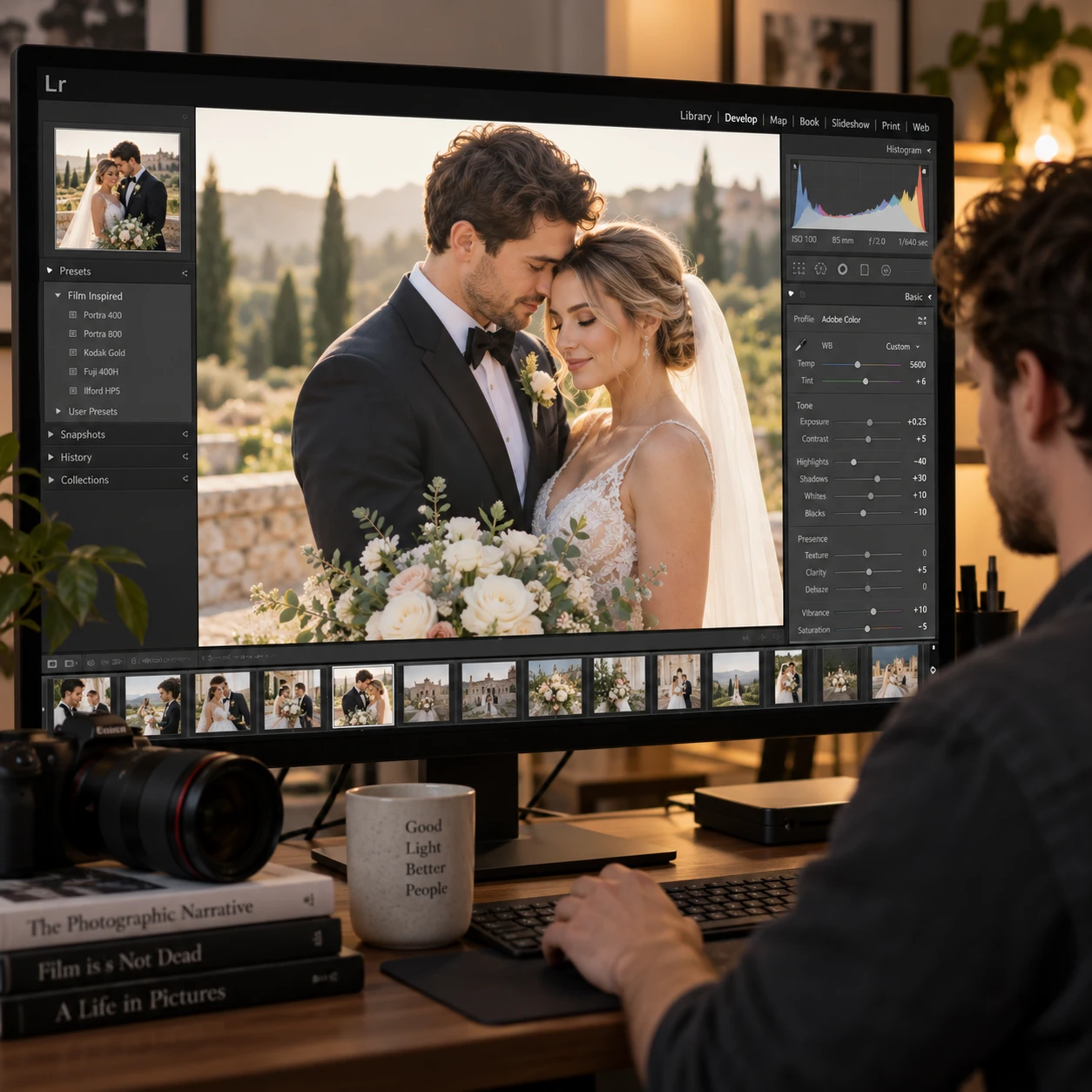
Timeless wedding photos feel emotional without relying on effects that are likely to date. A romantic edit can bring warmth and softness to a scene while keeping skin tones believable, colors grounded, and the couple recognizable as themselves.
The goal is not to apply one look to every frame. It is to make considered choices about exposure, white balance, contrast, color grading, and retouching, then carry those choices through the gallery while adapting to each lighting situation.
Define a timeless, romantic editing style
A timeless, romantic wedding edit balances emotional warmth with natural color and realistic detail. It should support the feeling of the moment without making the image depend on a passing effect.
Start by deciding what “romantic” means for the wedding in front of you. For an intimate indoor ceremony, that might mean warm highlights and gentle contrast. For a bright garden celebration, it may mean clean whites, natural greens, and soft transitions between light and shadow. The style should suit the location, season, clothing, and mood rather than impose a preset aesthetic.
Use three checks as a simple style framework:
- Emotion: Does the edit reinforce the tenderness, joy, or quietness of the scene?
- Believability: Do skin, flowers, and surroundings still look plausible?
- Durability: Would the image still feel appealing without today’s popular color effect?
Film-inspired tones can help create a gentle, familiar atmosphere, but they are a reference, not a rule. A lifted black point or muted color palette may suit some photographs; pushed too far, either can reduce depth and make the full set feel washed out. Choose a direction, then keep enough natural variation for the wedding story to feel alive.
Start with accurate exposure and white balance
Correct exposure and white balance give romantic wedding edits a reliable foundation. They protect detail and help skin tones remain believable before you add any stylistic color.
In Lightroom or another editor, begin with the overall exposure. Check the dress, faces, and important highlights, but do not assume every white dress must appear pure white. A warm room or sunset can naturally tint the fabric. Preserve detail in bright areas where possible, and avoid darkening the whole photograph simply to recover a small highlight.
Set white balance by considering both the light source and the emotional atmosphere. Mixed lighting can make this tricky: window light may be cool while reception bulbs cast orange tones. Correct the dominant cast first, then use local adjustments if a face or section of the scene still looks noticeably too warm or too cool.
- Use a neutral reference in the frame, such as a white shirt, as a guide rather than an absolute target.
- Check faces at a useful zoom level; a pleasing overall color can still leave skin too orange, magenta, or gray.
- Compare several images from the same lighting setup so white balance does not drift from frame to frame.
Accuracy does not mean every scene must look neutral. A golden-hour portrait can retain warmth; the key is that the warmth feels like the light, not an overlay that changes the couple’s complexion.
Shape light with gentle contrast
Gentle contrast adds depth to wedding photos while preserving a soft, romantic feel. Adjust highlights and shadows with care so the image keeps detail instead of becoming flat or harsh.
Pulling down highlights can recover texture in a veil, bright window, or dress, while a small shadow lift can reveal a dark suit or shaded expression. Make these changes selectively when possible. Raising every shadow may remove the natural shape of a face and make a photograph look hazy; lowering all highlights can turn bright, joyful scenes dull.
Use the tone curve or contrast slider to create separation between light and dark areas, then check the result at both full size and fit-to-screen. A gentle curve often gives more control than a large global contrast adjustment. If the image loses its sense of dimension, restore some deep tones rather than adding clarity or sharpening everywhere.
Softness comes from controlled transitions, not from removing all contrast. Keep enough definition around eyes, hair, clothing, and architecture to guide the viewer through the photograph. The trade-off is straightforward: softer tonal transitions can feel tender, but too much shadow lifting or contrast reduction can make a gallery look faded and indistinct.
Use color grading with restraint
Restrained color grading makes wedding photos feel cohesive without overpowering their real colors. Favor subtle warmth, muted supporting colors, and natural greens over strong casts or short-lived effects.
Warm highlights can give a candlelit reception or sunset portrait an inviting tone. Cooler shadows may add separation, but avoid pushing them so far that a warm scene turns teal or skin appears gray. Make small changes, then compare them against the unedited file and nearby photographs from the same moment.
Green foliage deserves particular attention. Wedding venues often contain a large area of grass, trees, or floral leaves, and aggressive desaturation can make them gray or brown. Adjust hue and saturation in small increments, checking that greenery still reads as the kind of plant and light present at the scene. Apply the same care to flowers, suits, and colorful cultural details that carry meaning.
Film-inspired tones can be a useful reference for gentle color and less clinical contrast. However, faded blacks, heavy grain, and strong orange-and-teal grading are distinctive choices, not guarantees of timelessness. Use them only when they fit the wedding and the couple’s preferences. A lighter touch gives the images room to age with changing tastes.
Retouch lightly and preserve real moments
Light retouching cleans up temporary distractions while preserving natural texture and authentic expressions. Keep the couple recognizable, and avoid changing features or details that give a moment its character.
Before using healing or cloning tools, ask whether a distraction pulls attention away from the story. A temporary blemish may be worth removing from a close portrait; a laugh line, freckle, or crease in clothing may be part of the person or moment. Keep skin texture visible, especially around the eyes and mouth, where excessive smoothing can quickly make an image look artificial.
For a practical retouching pass:
- Remove temporary marks or small background distractions that compete with the subject.
- Keep facial structure, body shape, and natural skin texture intact.
- Review the image at normal viewing size to catch retouching that looks obvious when zoomed out.
Avoid treating haze, blur, or pink tones as shorthand for romance. These effects can soften an image, but they may also obscure detail and distort color. Authentic expressions and gentle light usually carry more emotional weight than extensive retouching.
Create consistency across the wedding gallery
Consistent gallery editing comes from a shared visual foundation, adjusted for each scene’s light and color. Lightroom presets can speed up the first pass, but they should not replace individual judgment.
Build a reference edit from a representative image, then sync only the settings that make sense across photographs taken under similar conditions. A preset may offer a useful starting point for tone and color, yet the same settings can behave differently in a bright outdoor portrait, a green-tinted ceremony space, and a tungsten-lit reception. Check exposure, white balance, skin, and background color after applying it.
Organize the edit in lighting groups rather than treating the whole wedding as one batch: preparation rooms, outdoor portraits, ceremony, and reception are common examples. Within each group, compare a few images side by side. Look for changes in skin warmth, dress brightness, and green or orange casts. The aim is a coherent gallery, not identical histograms or identical color in every location.
Use presets for repeatable decisions, not automatic sameness. A consistent style still leaves room for an intimate candlelit frame to feel warmer than a midday garden portrait. Adapt the edit to the scene while keeping the overall treatment recognizable.
Review edits for longevity
To check whether wedding edits may age well, view them at different sizes and question any effect that dominates the subject. Natural color, readable detail, and emotional clarity are useful signs that the style is not carrying the image alone.
Review a selection of photographs together, not only as individual favorites. A strong portrait can hide a color cast that becomes obvious beside the rest of the gallery. Check a full-screen view for retouching and texture, then a smaller view for the overall mood and visual consistency. If possible, revisit the final edits after a short break; choices made at the end of a long editing session can feel more extreme the next day.
When an edit feels dated, identify the specific cause rather than starting over. It might be overly faded blacks, a heavy color cast, or too much skin smoothing. Reduce that effect and compare again. The aim is not to remove all personality. It is to make sure the photograph’s emotional value does not depend on a trend.
Timeless, romantic wedding photos come from a series of modest decisions: accurate white balance, controlled exposure, gentle contrast, restrained color grading, and thoughtful retouching. Keep those choices consistent across the gallery, but let the actual light and feeling of each moment lead.